
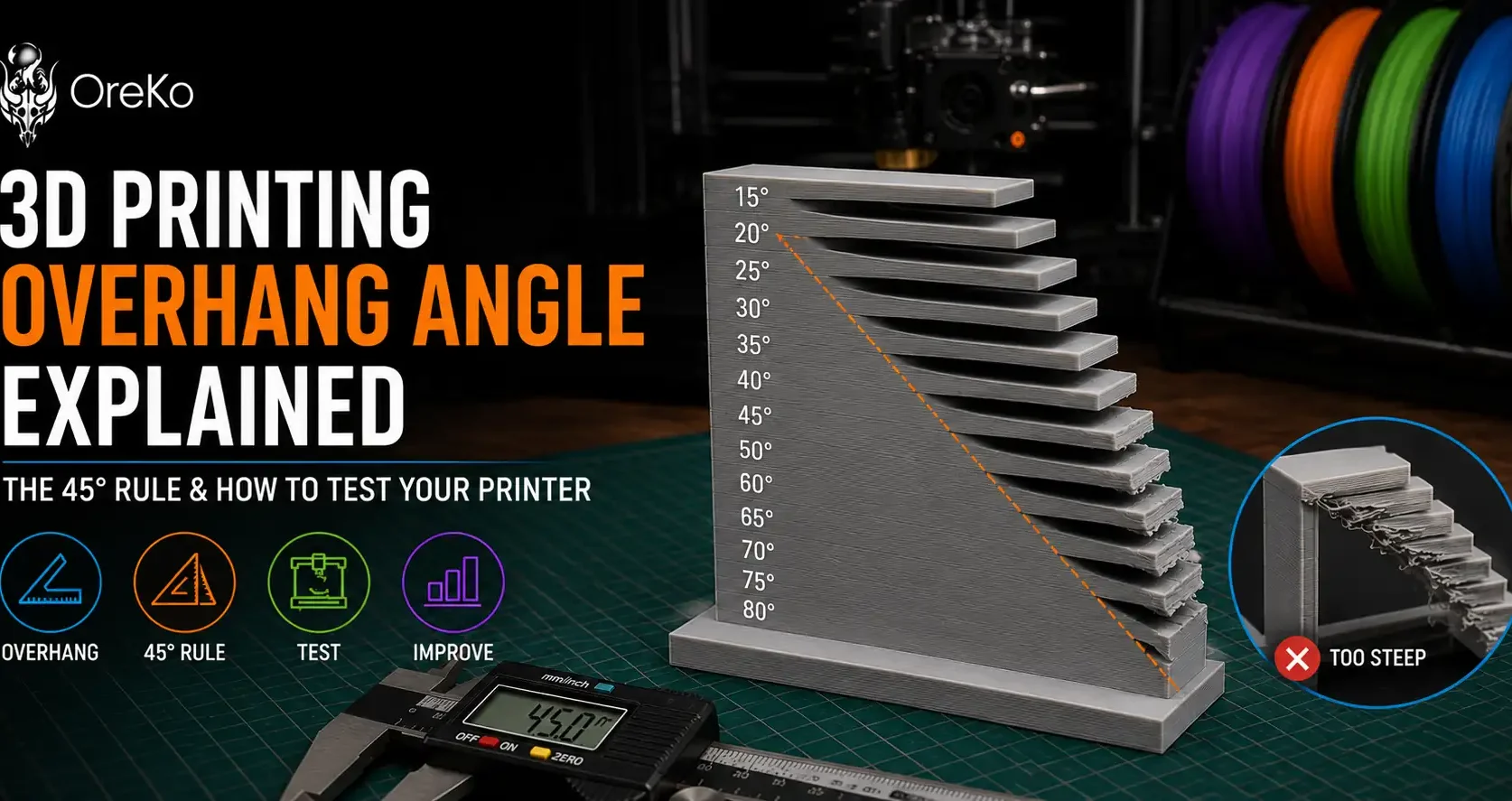
An overhang is any part of a 3D model that extends outward from the base without support directly below it. The overhang angle is the angle measured from vertical, not horizontal. A 0-degree overhang is completely vertical (no overhang). A 90-degree overhang is completely horizontal (a flat ceiling). Most FDM printers handle 0-45 degrees without supports. Beyond 45-50 degrees, quality degrades and beyond 70 degrees, supports are almost always needed.
The 45-Degree Rule in Practice
The 45-degree rule is a guideline, not a hard limit. Your printer’s cooling ability, print speed, and layer height all affect the actual maximum overhang angle achievable. Bambu Lab printers with their active part cooling consistently outperform older open-frame printers on overhang angles, often printing clean to 55 or even 60 degrees.
To find your printer’s specific limit, print a standard overhang test model (available free on Printables and Thingiverse) that prints progressively steeper angles from 30-70 degrees. The angle where your print starts showing sag or layer separation is your practical limit for support-free design.
More on how this affects support decisions at the supports guide.
Designing to Avoid Overhangs
The best solution to overhang problems is designing them out. Add 45-degree chamfers where horizontal surfaces would otherwise create steep overhangs. Split models so each piece has a flat base. Orient models in the slicer to minimize the angle of the most problematic overhangs. OreKo’s support-free file design philosophy uses all three approaches so prints land cleanly without supports.
Frequently Asked Questions: Overhang Angle in 3D Printing
What is the maximum overhang angle for 3D printing without supports?
45-50 degrees from vertical for most FDM printers. Bambu Lab printers with active part cooling can typically print clean to 55 degrees. Test your specific machine with an overhang test print to find its actual limit.
Does layer height affect overhang performance?
Yes. Thinner layers (0.12mm) produce better overhang results than thicker layers (0.28mm) because each layer has less plastic that needs to bridge unsupported. Part cooling speed matters more than layer height for overhangs, but both contribute.
Why do my overhangs look rough even below 45 degrees?
Most commonly insufficient part cooling or too high a print temperature. Reduce nozzle temperature by 5°C and confirm your part cooling fan is running at full speed on the overhang layers. Print speed reduction on overhang sections also helps.