STL File Limitations: What the Format Cannot Do

STL is the most widely used format in 3D printing and also one of the most limited. Understanding exactly where it falls short helps you work around those gaps and know when a better format is the right choice.

A Format Designed for One Thing

STL was created in 1987 to describe the surface geometry of 3D objects for stereolithography machines. It does that one job well. It was never designed to carry color, material, scale, or print settings, and it has no mechanism to describe anything beyond the shape of an object’s surface.

For nearly four decades, that simplicity was a strength. STL is compatible with every printer, every slicer, and every modeling tool in existence. But as 3D printing has grown more sophisticated, the format’s limitations have become more visible. Knowing what STL cannot do tells you when those limitations actually matter and when they do not.

The Six Core Limitations

1. No Color or Appearance

An STL file has no concept of color, texture, or surface finish. Every triangle in the mesh is identical — there is no way to say one face is red and another is black. Color comes entirely from your filament choice or post-processing. Multi-color prints require either multiple separate STL files, a slicer that supports color painting by region, or a switch to a format like 3MF that carries color data natively.

2. No Units or Scale

STL files contain no unit information whatsoever. The format stores numbers, but has no way to indicate whether those numbers represent millimeters, inches, or centimeters. A model designed at 100mm that gets imported into software assuming centimeters will appear 10 times larger than intended. Every slicer requires you to confirm or set the unit scale after import.

3. No Material Information

STL carries no material specification. The format cannot say “print this in PLA” or “this part requires PETG for heat resistance.” Material selection happens entirely in the slicer based on your own knowledge of what the part needs. For simple hobbyist prints this is fine. For complex multi-material assemblies, the lack of material data in the file itself becomes a real coordination problem.

4. No Print Settings

Layer height, infill, wall count, temperature, speed, support strategy — none of this lives in an STL file. A designer who has found the exact settings that make a model print cleanly has no way to encode that knowledge in the file itself. It must be communicated externally through documentation, separate preset files, or the 3MF format. This is why well-documented STL listings are so much more valuable than bare file uploads.

5. No Assembly or Relationship Data

A complex model with a dozen parts ships as a dozen separate STL files. The format has no mechanism to encode how parts relate to each other: which goes first, how they fit together, what tolerances matter, what hardware is required. Assembly information must come from external documentation. Importing ten files into a slicer gives you ten unrelated objects with no positional relationship to each other.

6. No Design History or Editability

An STL file is a frozen snapshot of a shape at the moment of export. The design decisions that created it — the parametric constraints, the sketches, the feature timeline — are gone. What remains is a mesh of triangles. Editing that mesh is possible but requires mesh editing tools, not the CAD software the model was designed in. Meaningful edits to STL files often require recreating the original design from scratch.

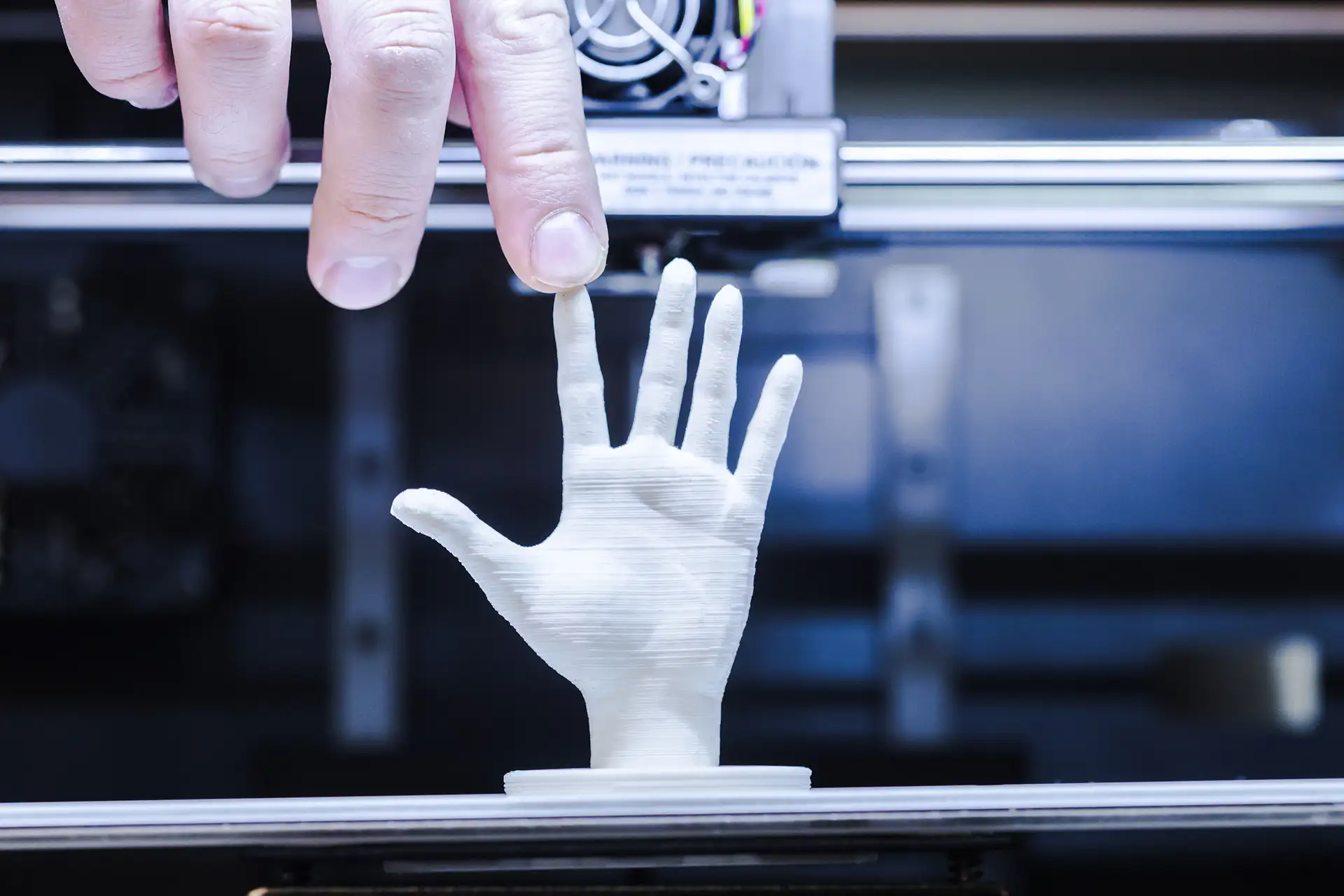
Close-up of 3D printed hand model showing layer line errors and surface imperfections from FDM printing

Technical Limitations Inside the Format

Beyond the missing data categories above, STL has several technical limitations that cause real problems when preparing files for printing.

The Watertight Requirement

For a slicer to process an STL file correctly, the triangle mesh must be completely closed — watertight. Every edge must be shared by exactly two triangles. No gaps, no holes, no T-junctions where three faces meet at an edge, no overlapping faces. These errors are called non-manifold geometry and STL has no error-checking built into the format itself.

A file can be perfectly valid STL — correctly formatted, no corrupt data — while containing non-manifold errors that make it unprintable. The format does not know it has a problem. Your slicer discovers it when it tries to slice.

No Guaranteed Manifold Integrity

Complex models exported from CAD software frequently contain mesh errors. Tolerance settings that are too loose during export create gaps between adjacent surfaces. Boolean operations in modeling software sometimes leave internal faces or overlapping geometry. Every export to STL is an opportunity to introduce mesh errors that were not present in the original CAD model.

Triangle Resolution is Fixed at Export

When a designer exports a model to STL, they choose the resolution — how many triangles to use. That choice is permanent. You cannot increase the resolution of an STL file after export without going back to the original CAD model. A file exported at low resolution will have visibly faceted curved surfaces, and there is no way to smooth them from within the STL.

When STL Limitations Actually Matter

Most everyday prints are not affected by these limitations. Here is an honest breakdown of when they do and do not matter.

Limitation When It Matters When It Does Not Matter
No color Multi-color prints where specific regions need specific colors Single-color prints, anything where you choose filament color yourself
No units Sharing files between people using different software with different default units When you control both the export and import and verify scale in the slicer
No print settings Complex models where specific settings are critical to a successful print Simple functional parts where standard settings work fine
No assembly data Multi-part models where alignment is precise and assembly order matters Single-part prints or assemblies with obvious fit and no precision alignment required
No design history When you need to modify a model significantly after receiving only the STL When you are printing the file as-is without any modifications
Mesh errors Files exported from CAD with loose tolerances or boolean operation artifacts Files from experienced designers who validate before publishing

How Other Formats Address These Limitations

The limitations of STL are well understood and several newer formats have been designed specifically to address them.

3MF is the most important alternative. It stores color and material assignments, multi-part assembly data with positional relationships, print settings, scale and units, and thumbnail previews. It was developed specifically because STL could not carry this information. Bambu Studio’s 3MF files for multi-color AMS printing are a direct response to STL’s inability to handle color data. Read more in the 3MF vs STL guide, coming in Phase 4.

OBJ adds basic color and texture map support but remains a surface-only mesh format without units or print settings.

AMF (Additive Manufacturing File Format) was designed as a direct STL successor with support for color, material, scale, and lattice structures. Despite being technically superior it never achieved widespread adoption.

STEP preserves parametric design history and is the format of choice for exchanging editable CAD models between professionals. It is not a printing format but the right format when you need to share a model so someone else can modify it.

Frequently Asked Questions

Can an STL file be corrupted?

Yes, in the sense that it can contain mesh errors that prevent slicing even though the file itself is not technically malformed. Non-manifold geometry, open edges, inverted normals, and self-intersecting faces are all forms of STL corruption in the practical sense. The file opens and looks fine visually but fails when the slicer tries to generate toolpaths from it. Free tools like Meshmixer, Microsoft 3D Builder, and Netfabb repair most of these issues automatically.

Why do some STL files print with unexpected dimensions?

Almost always a unit mismatch. The model was designed in one unit (typically millimeters) and the importing software assumed a different unit (typically centimeters or inches). A 100mm object imported at centimeters appears as 1,000mm. Always check the model dimensions in the slicer immediately after import before positioning or slicing. Every major slicer shows dimensions in the model properties panel.

Is STL being replaced by 3MF?

Gradually in specific use cases, but not overall. 3MF is the required format for Bambu Lab AMS multi-color printing and is increasingly used for sharing files with settings pre-configured. For simple single-color prints, STL remains the default. Given that hundreds of millions of STL files already exist and every tool supports the format, STL will remain relevant for many years even as 3MF grows in use for more complex applications.

Can you add color to an STL file after it has been created?

Not within the STL format itself — color is not part of the specification. What you can do is convert the STL to a format that supports color (OBJ with material files, 3MF) and add color assignments in that format. Within most slicers, you can also paint regions of an imported STL with different filament assignments for multi-color AMS printing, but that color data lives in the slicer project file, not the STL itself.

What is non-manifold geometry?

Non-manifold geometry is any mesh configuration that cannot exist as a real physical object. Common examples: an edge shared by more than two faces, a vertex where faces touch but do not connect along an edge, a face with zero area, or overlapping faces in the same position. STL requires manifold geometry to slice correctly. CAD software sometimes produces non-manifold results from boolean operations or when export tolerance settings are too loose.

Continue Learning

How STL Files Work

Understanding the triangle mesh format, watertight geometry, and why resolution is fixed at export.

Where to Find Free STL Files

The honest guide to free repositories, what makes each worth using, and what to watch out for on any platform.

3MF vs STL

The format designed to fix most of what STL cannot do. What 3MF adds and when it matters. Coming in Phase 4.