How Does 3D Printing Actually Work?
From the moment you hit print to the finished object on the build plate. A clear walkthrough of the full FDM printing process with no jargon.

From the moment you hit print to the finished object on the build plate. A clear walkthrough of the full FDM printing process with no jargon.
A 3D printer melts plastic and deposits it in precise paths, one thin layer at a time, until the complete object is built up from the bottom. That is the entire process. Every other detail is a variation or elaboration on that core idea.
The longer version matters because understanding what is happening inside the machine at each step helps you make better decisions about settings, troubleshoot problems faster, and get better results consistently.
The printer heats the hot end nozzle to the filament’s melt temperature (typically 200-220°C for PLA) and warms the print bed to improve adhesion. This takes 2-5 minutes on most printers.
The most critical moment. The nozzle moves across the bed depositing the first layer of plastic. If it sticks cleanly, the print has a strong foundation. If it lifts, the print fails. Bed adhesion matters most here.
The printer repeats the process for every subsequent layer, each one bonding to the layer below as it cools. For a 100mm tall object at 0.20mm layers, this is 500 passes. The nozzle rises by exactly one layer height after each pass.
After the final layer, the printer cools down and moves the print head out of the way. The object sits on the bed until fully cooled, then you remove it. Some materials like PLA release easily. Others benefit from a cooled bed before removal.
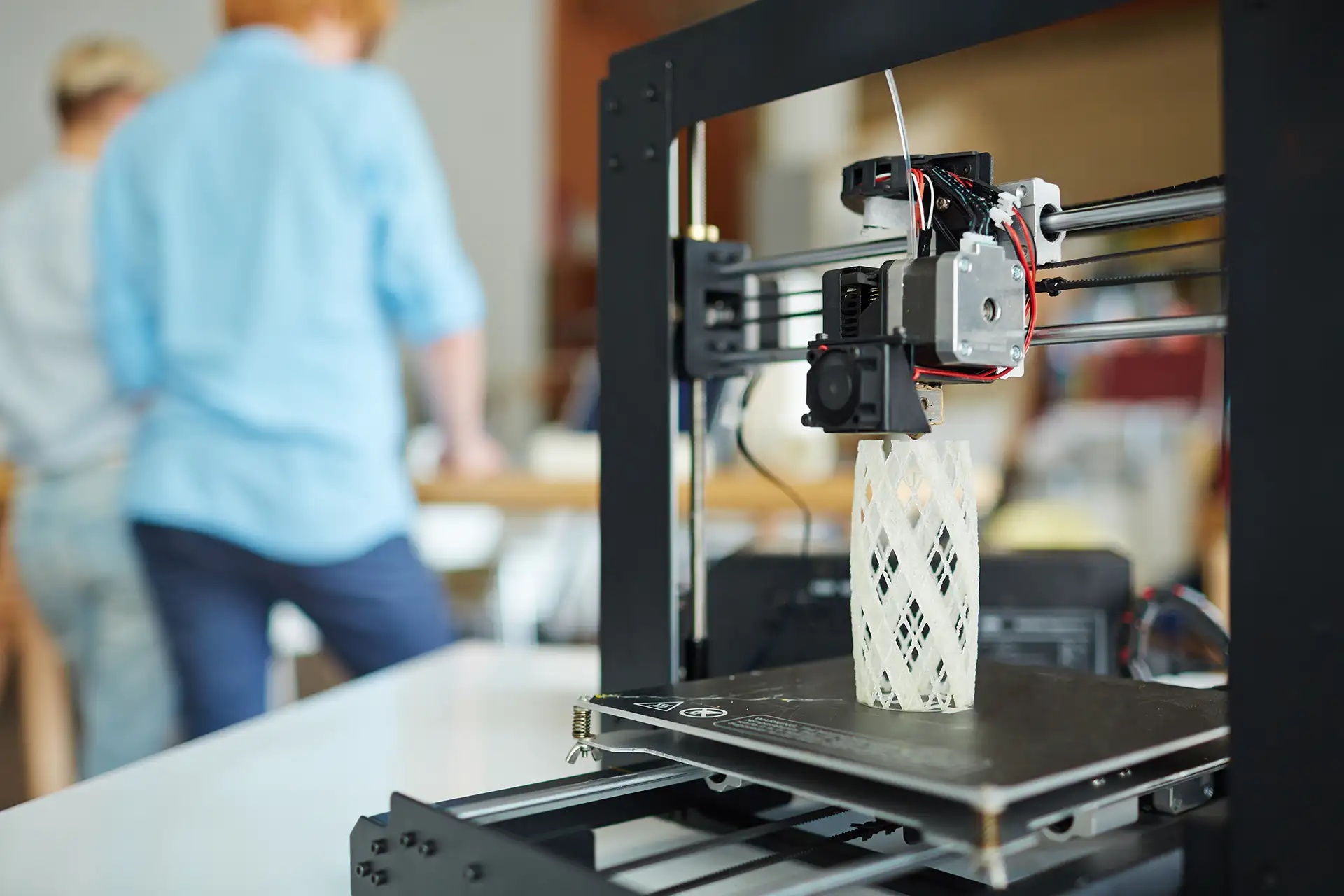
The hot end is the heart of an FDM printer. It consists of:
The heat block — a small metal block heated by a cartridge heater. Reaches and maintains temperatures of 180-300°C depending on the filament.
The nozzle — the small metal tip the melted plastic extrudes through. Standard diameter is 0.4mm. Smaller nozzles produce finer detail. Larger nozzles print faster. Learn more: Nozzle Guide.
The thermistor — a temperature sensor that monitors the hot end and feeds data back to the printer’s controller to maintain precise temperature.
The heat break — a narrow transition zone between the hot and cold sections of the extruder. Prevents heat from traveling up the filament path and causing jams.
The cooling fan — keeps the upper extruder section cool while the nozzle below stays hot. Essential for consistent extrusion.
Each layer is not one single pass. It is a structured sequence of moves.
The printer traces the outer walls of the layer first. The number of perimeter passes depends on your wall count setting. These lines define the visible exterior surface of the object.
After the perimeters, the printer fills the interior of the layer with your chosen infill pattern. Gyroid, grid, lines, honeycomb — the pattern is chosen in the slicer. Learn more: Infill Guide.
On the first few layers and the top few layers, the printer fills completely with a solid skin rather than infill. Top and bottom layer count in your slicer settings controls how thick these solid caps are.
The strength of an FDM print depends on layer adhesion — how well each layer bonds to the one below it. Several factors affect this:
Print temperature plays the biggest role. A nozzle temperature that is too low means the deposited plastic does not bond well to the layer below. Slightly higher temperatures generally improve layer adhesion up to a point.
Layer height affects how much each layer overlaps and squishes into the one below. Very thin layers bond differently than thicker ones. This is one reason print settings that work well at 0.20mm may need adjustment at 0.08mm.
Print speed affects how much time the plastic has to bond before cooling. Very high speeds on some printers reduce bond quality. Modern high-speed printers like Bambu Lab machines compensate with higher temperatures and better hotend designs.
Cooling is a double-edged factor. Fast cooling creates sharp detail but can reduce layer bonding. Slower cooling improves bonding but can cause warping or stringing on some materials. The part cooling fan speed in your slicer balances these forces.
How FDM printers are built, the main hardware components, and what to look for when choosing one.
What happens after the print finishes: support removal, sanding, painting, and finishing your print to a display-quality result.
The first layer is where most prints succeed or fail. How to get consistent first layer adhesion on every print.
Every model in the OreKo catalog is printed and tested on Bambu Lab FDM printers. Browse the results.