
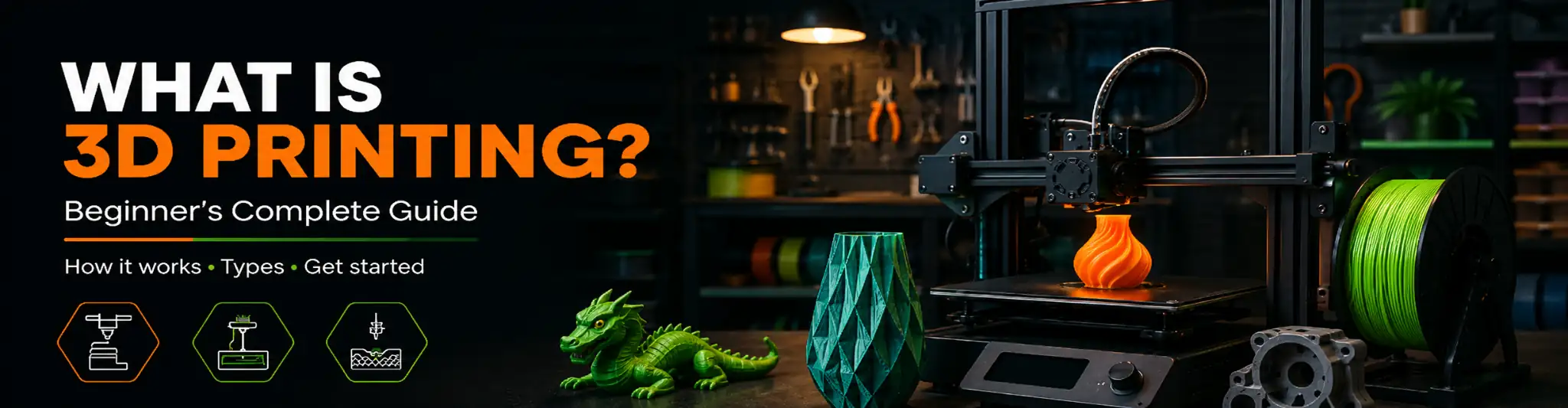
A complete beginner’s guide to 3D printing, how it works, what you can make, and how to get started today.
3D Printing in Plain English
3D printing is a manufacturing process that builds a physical object layer by layer from a digital file. Instead of cutting material away like traditional machining, a 3D printer adds material, one thin layer at a time, until the full object is complete. That is why it is also called additive manufacturing.
The process starts with a 3D model file, usually an STL or 3MF file, which contains the shape of the object. That file gets processed by software called a slicer, which slices the model into hundreds or thousands of horizontal layers and tells the printer exactly how to move, how much material to use, and at what temperature.
The printer then follows those instructions and builds the object from the ground up, one layer at a time, until it is done.
How Does a 3D Printer Actually Work?
Step 1: The 3D Model
Every print starts with a digital 3D model. You can design your own using software like Fusion 360, Tinkercad, or Blender, or download a ready-made file from a marketplace like Cults3D.
Step 2: Slicing
The model file goes into slicer software such as Bambu Studio, PrusaSlicer, or Cura. The slicer divides the model into layers and generates a G-code file, which is the set of instructions your printer follows.
Step 3: Printing
The printer reads the G-code and starts building. For FDM printers, a heated nozzle melts plastic filament and deposits it in precise paths. Each layer bonds to the one below it as it cools.
Step 4: Post Processing
Once the print finishes, you remove it from the print bed. Depending on the model, you may need to remove support structures, sand rough edges, or paint and assemble parts.
Types of 3D Printing
FDM (Fused Deposition Modeling)
The most common type for home use. A spool of plastic filament (PLA, PETG, ABS, etc.) is melted through a nozzle and deposited layer by layer. Affordable, beginner-friendly, and capable of printing large objects.
Resin (SLA / MSLA)
Uses UV light to cure liquid resin. Produces extremely fine detail, making it popular for miniatures, jewelry, and dental models. Requires more post-processing and ventilation but delivers exceptional quality.
SLS (Selective Laser Sintering)
Uses a laser to fuse powdered material. Strong, functional parts with no support structures needed. More common in industrial and professional settings due to cost.
Quick Facts
- Invented in the 1980s, consumer-affordable since ~2010
- Most home printers use plastic filament (FDM)
- A typical print takes 30 minutes to several hours
- Layer heights typically range from 0.08mm to 0.30mm
- Entry-level printers start around $200
- You can print almost any shape that a computer can model
Common 3D Printing Terms for Beginners
Filament – The plastic material used in FDM printing. Comes on spools. Common types include PLA, PETG, ABS, and TPU.
Layer Height – How thick each printed layer is. Smaller layers (0.08mm) mean more detail. Larger layers (0.30mm) print faster but look less smooth.
Infill – The internal structure of a print. Higher infill (100%) means a solid, strong part. Lower infill (15%) is faster and uses less material.
Supports – Temporary structures the printer builds under overhanging parts so they do not collapse during printing. Removed after printing is complete.
Slicer – Software that converts a 3D model into print instructions. Popular options include Bambu Studio, PrusaSlicer, and Ultimaker Cura.
Bed Adhesion – How well the first layer sticks to the print bed. Poor adhesion is one of the most common causes of failed prints.
G-Code – The instruction file your slicer generates. It tells the printer where to move, how fast, and how much material to extrude.
Nozzle – The small metal tip that melts and deposits filament. Standard nozzles are 0.4mm in diameter. Smaller nozzles produce more detail. Larger nozzles print faster.
PLA – The most beginner-friendly filament. Easy to print, biodegradable, available in hundreds of colors, and suitable for most decorative and functional prints.
Go Deeper: Complete Guides for Every Step
Each topic below has a full dedicated guide. Click through to learn more about any part of the 3D printing process.
The Printing Process
3D Modeling
How 3D models are made, the difference between CAD and mesh modeling, and which software to start with.
Slicing
What slicing software does, how it converts models into G-code, and which slicer settings affect quality most.
How Printing Works
Inside the printer from first layer to finished object. The hot end, layer bonding, infill, and what makes prints strong.
Post Processing
Support removal, sanding, filler primer, painting, dry brushing, and sealing. From raw print to polished result.
Printer Types
FDM Printers
How FDM printers work, key hardware components, Cartesian vs CoreXY, and which machines OreKo recommends.
Resin Printers
SLA and MSLA explained, where resin wins over FDM, safety requirements, and full comparison table.
SLS Printing
How selective laser sintering works, where it is used, and whether it is the right technology for your needs.
Key Terms Explained
Filament
PLA vs PETG vs ABS vs TPU, matte vs silk finishes, temperature guide, and how to choose for every project.
Layer Height
The 25-75% nozzle rule, when to use 0.08mm vs 0.20mm, and real examples from OreKo print settings.
Infill
Percentages, patterns (lines, gyroid, honeycomb), and when 100% infill is exactly the right call.
Supports
The 45-degree rule, how to design models without supports, and why all OreKo models are support-free.
Slicer Software
Bambu Studio vs PrusaSlicer vs Cura, the settings that matter most, and how OreKo 3MF files work.
Bed Adhesion
Why the first layer is everything, PEI plates, bed leveling, glue stick tips, and how to stop warping.
G-Code
What G-code is, what commands it contains, how the slicer generates it, and what 3MF files do differently.
Nozzle Guide
Sizes from 0.2mm to 0.8mm, brass vs hardened steel, abrasive filament warning, and when to replace.
Common Questions About 3D Print Settings
OreKo recommends PLA for most models — easy to print, great detail, widely available.
- Deck boxes: PLA or PETG
- Mold box: PETG (heat resistance)
- Miniatures: Matte PLA at 0.12mm
- Cosplay props: Matte black PLA
OreKo print settings by model type:
- Dollhouse/miniatures: 0.12mm
- Deck boxes: 0.20mm
- Cosplay props: 0.20mm
- Mold box: 0.20mm
Full guide: Layer Height Explained ↗
For OreKo models, 15% gyroid infill is the sweet spot. Gyroid is equally strong in all directions and prints fast.
Mold box: bump to 25% for extra strength. Full guide: Infill Guide ↗
All OreKo models are designed to print without supports. If your slicer is auto-generating them, disable them — they'll create cleanup work and can damage fine details on miniatures.
All OreKo models are designed for a standard 0.4mm brass nozzle. A 0.6mm nozzle works for deck boxes and the mold box. Avoid 0.6mm+ for miniatures — wall accuracy suffers at small scale.
Full guide: 3D Printer Nozzles: Everything You Need to Know ↗
Best way to clear a clogged nozzle: cold pull. Heat to 250°C, load white or transparent PLA, cool to 90°C, then pull firmly. Repeat until the pulled filament comes out clean.
Full step-by-step: How to Clean a Bambu Nozzle ↗
OreKo settings by type:
- Deck boxes: 0.20mm, 3 walls, 15% gyroid, PLA/PETG
- Miniatures: 0.12mm, 3 walls, 15% infill, matte PLA, 40-50mm/s
- Mold box: 0.20mm, 4 walls, 25% infill, PETG
- Cosplay: 0.20mm, 3 walls, 15% infill, matte black PLA
No supports on any model.
The Deck Maker Set is designed for multi-color FDM and includes 3MF files pre-configured for the Bambu AMS system. Guide: Multi-Color Deck Boxes ↗
Most first-layer issues come down to three things: z-offset too high, cold bed, or dirty build surface.
- Wipe the plate with IPA before every print
- PLA sticks well on textured PEI at 55-60°C
- Run Bambu's first-layer calibration if you see gaps or squish
Full guide: Bed Adhesion Guide ↗
Common fixes for print quality issues:
- Stringing: increase retraction, lower temp 5°C, enable wipe on retract
- Blobs/zits: enable combing, reduce coast distance
- Layer separation: increase temp, slow down, check for wet filament
On Bambu, run the full calibration suite first — it fixes most issues automatically.
For OreKo models: keep miniatures at 40-50mm/s — speed kills detail at 0.12mm. Deck boxes and larger prints are fine at 150-200mm/s on a Bambu.