
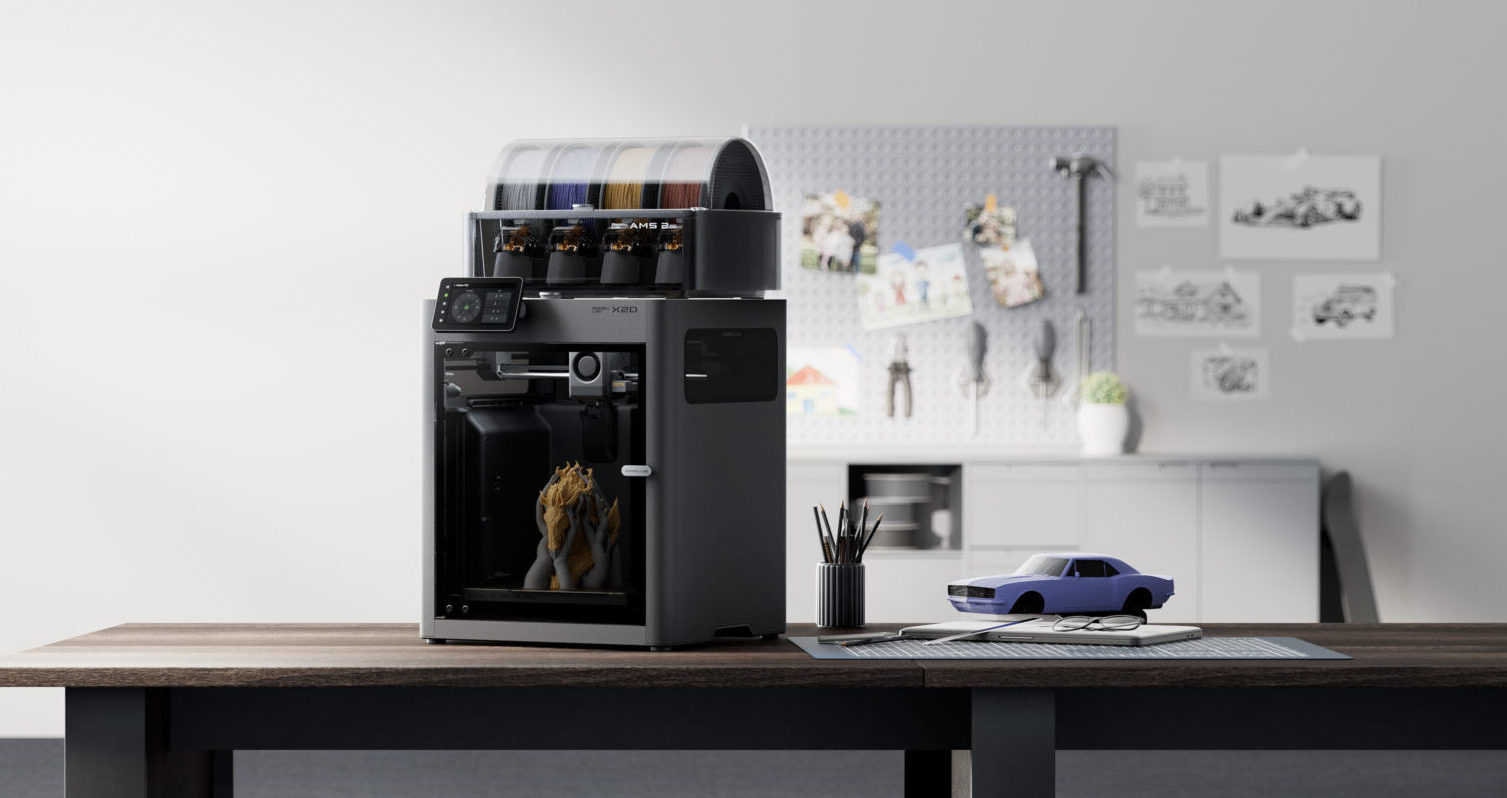
The X1C’s Replacement Arrives with Dual Extrusion
Announced April 14, 2026, the Bambu Lab X2D is the official successor to the X1 Carbon. It drops into the same compact enclosed footprint as the X1C but adds something the X1C never had: dual nozzle printing. At $649 standalone or $899 as a Combo with AMS 2 Pro, the X2D is the most aggressive price-to-spec ratio in Bambu’s entire 2026 lineup.
If you owned or wanted an X1C, the X2D is what comes next.
Key Specs
| Spec | X2D |
| Build Volume | 256 x 256 x 256mm |
| Nozzle System | Dual nozzle (single toolhead, lift mechanism) |
| Max Hotend Temp | 300°C |
| Chamber Heating | Active, up to 65°C |
| Enclosure | Yes — fully enclosed |
| AI Monitoring | Toolhead camera, build plate detection |
| HEPA Filtration | Yes |
| Multi-Color | Up to 25 colors (AMS 2 Pro stacked) |
| Price | $649 standalone / $899 Combo |
How the X2D Dual Nozzle Works
The X2D’s dual nozzle is not the same as the H2D’s IDEX system. Both nozzles are on the same toolhead and the printer switches between them using a mechanical lift mechanism. When nozzle 1 is active, nozzle 2 lifts up out of the way, and vice versa.
This design is lighter and mechanically simpler than true IDEX, which means the toolhead accelerates faster and the overall machine stays compact. The trade-off is that the X2D cannot do mirror printing or duplication mode the way a true IDEX printer can, and the Bowden-fed right nozzle caps at 200mm/s in dual-material mode.
For practical purposes, the nozzle lift system works extremely well for the use case most people actually need dual extrusion for: model material in nozzle 1, soluble or breakaway support material in nozzle 2. Clean support removal on complex geometries becomes effortless in a way that single-nozzle printers simply cannot replicate.
X2D vs P2S: The Upgrade Decision
If you own a P2S, the X2D is the natural upgrade path. You trade the same 256mm build volume and a similar price bracket for:
- Dual nozzle printing with soluble support capability
- 65°C chamber vs P2S’s 50°C
- AI toolhead camera for print monitoring
- HEPA filtration
- Up to 25 color printing with stacked AMS units
The build volume stays the same. If you need bigger prints, the H2S or H2D are the right path. If you want dual extrusion in a desktop footprint and you print in the 256mm range, the X2D is the most sensible upgrade from the P2S.
X2D vs H2D: Size and Budget
The H2D costs $1,100 more than the X2D base and gives you a larger build volume (350mm vs 256mm) and true IDEX dual extrusion. For most desktop studio users, those advantages do not justify the price difference.
The X2D’s 256mm build volume fits the overwhelming majority of hobbyist prints. If you are printing miniatures, deck boxes, props, figures, and functional parts, 256mm is plenty. The H2D makes sense when you need the extra volume or the optional laser module. The X2D makes sense when compact desktop dual-extrusion is what you want.
Printing OreKo Models on the X2D
The X2D opens up a new dimension for OreKo miniature printing specifically. The 1:12 scale dollhouse refrigerator and miniature window shutters have geometries that benefit enormously from clean support removal. With PVA in the second nozzle, supports dissolve in water post-print, leaving surfaces that are essentially mark-free.
For deck box printing, the X2D supports the full OreKo 3MF workflow. Two-color prints use the AMS 2 Pro for color switching, while the dual nozzle handles any prints where you want two different materials in the same job. The 256mm build volume handles every piece in the OreKo catalog without splitting.
Dual Extrusion Meets the OreKo Catalog
Soluble supports, two-material prints, up to 25 colors. Every OreKo model ready to download on Cults3D.