
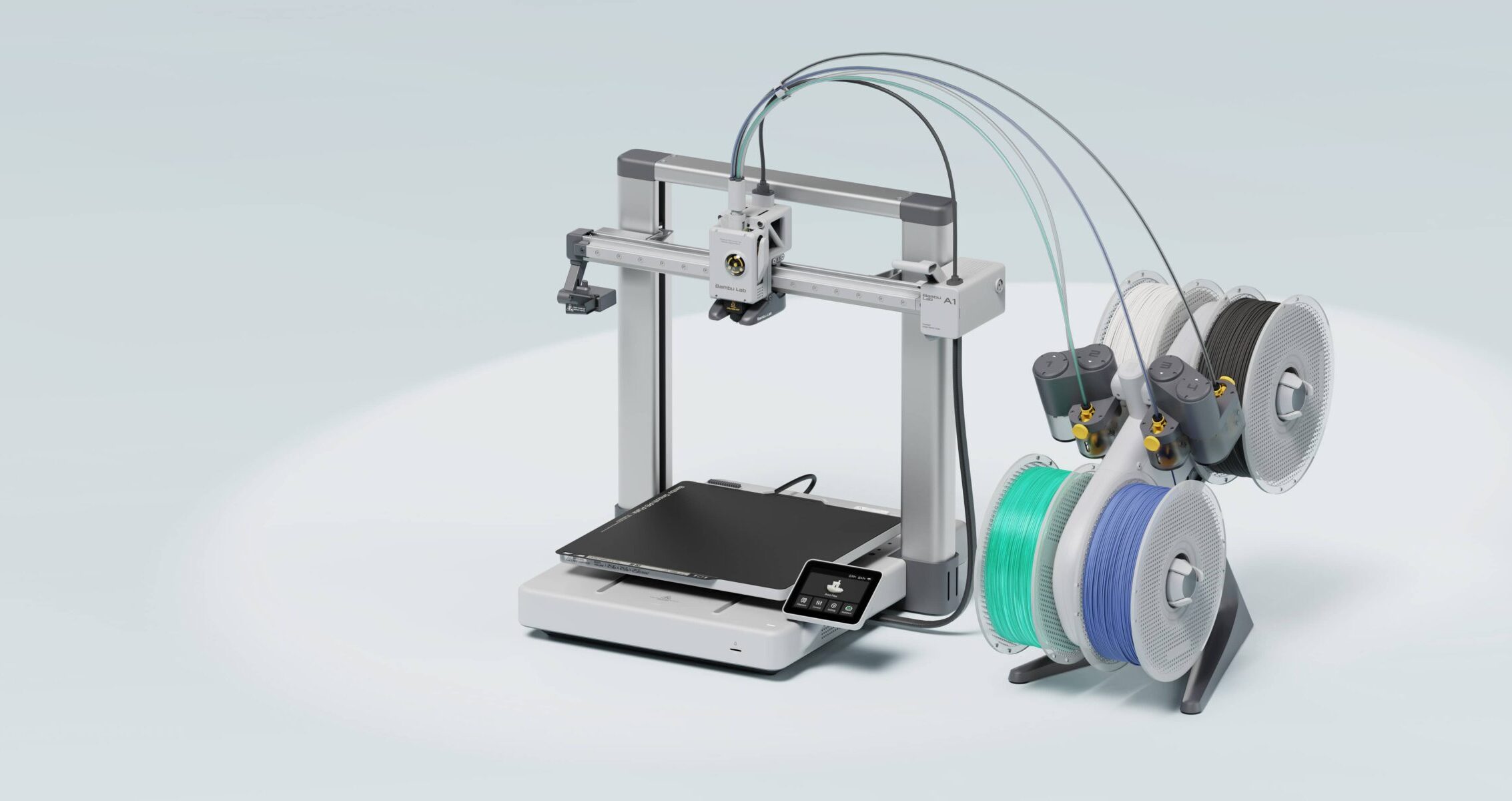
Full-Size Printing, Same Bambu Simplicity
The Bambu Lab A1 is the full-size version of the A1 Mini. Same open-frame bedslinger design, same full auto-calibration, same beginner-friendly setup — but with a 256 x 256 x 256mm build volume that covers the vast majority of what home makers actually need to print.
If the A1 Mini’s 180mm cube feels constraining for your projects, the A1 is the natural step up. At around $370 standalone or $499 as a Combo with the AMS Lite, it sits in the same price bracket while delivering meaningfully more printing real estate.
Key Specs
| Spec | A1 |
| Build Volume | 256 x 256 x 256mm |
| Max Print Speed | 500mm/s |
| Max Hotend Temp | 300°C |
| Max Bed Temp | 80°C |
| Enclosure | No (open frame) |
| Multi-Color | Up to 4 colors (AMS Lite) |
| Noise Level | ~45dB (silent mode) |
| Connectivity | WiFi, LAN, MicroSD |
| Price | ~$370 standalone / ~$499 Combo |
A1 vs A1 Mini: The Real Difference
The most important difference between the A1 and A1 Mini is build volume. Going from 180mm to 256mm in each dimension is not a minor bump. It is the difference between printing a deck box body in one piece versus splitting it, printing a helmet versus not, and fitting full-size dollhouse wall sections on a single plate.
Beyond build volume, the A1 shares the same feature set as the Mini: full auto-calibration, nozzle pressure sensing, vibration compensation, AMS Lite compatibility for four-color printing, and the same quiet operation. The motion system is slightly upgraded with low-drag linear rails for more precise movement at high speeds.
If your printing is mostly small objects, the A1 Mini is the smarter buy. If you regularly print objects over 150mm in any dimension, the A1 is worth the extra spend.
What the A1 Does Well
Full-size prints without splitting. A Commander deck box, a dollhouse refrigerator body, a helmet, a planter — all fit on the 256mm build plate in one piece. This eliminates gluing seams and alignment hassles on larger prints.
Same auto-calibration as the Mini. Every quality-of-life feature that makes the A1 Mini so beginner-friendly carries over completely. There is no calibration tax for choosing the larger machine.
Comprehensive print monitoring. The A1 includes build plate detection, nozzle clumping detection, filament runout detection, and power-loss recovery. These features collectively eliminate the most common causes of failed overnight prints.
Quiet enough for shared spaces. At 45dB in silent mode the A1 is slightly quieter than the Mini and perfectly comfortable to run in a home office or living space.
Where It Has Limits
Still no enclosure. Like the Mini, the A1 is an open-frame printer. Engineering filaments like ABS, ASA, PC, and PA are not recommended for large or high-infill prints because the open frame cannot maintain a stable chamber temperature. For PLA, PETG, and TPU it is fully capable.
One AMS Lite maximum. The A1 supports one AMS Lite for a maximum of 4 colors. For more advanced multi-color printing with 8 or 16 colors, you need a printer that supports multiple AMS units or the AMS 2 Pro.
No touchscreen. The A1 uses a small status display rather than a full touchscreen. Most printer management happens through Bambu Studio on your computer or the Bambu Handy app on your phone, which works well but is a workflow difference from the P-series and above.
Printing OreKo Models on the A1
The A1’s 256mm build volume fits the entire OreKo catalog without modification. Every deck box, every dollhouse piece, every mold frame prints in one piece on the A1’s build plate. For the OreKo 3MF files, selecting A1 as your printer in Bambu Studio applies the correct profiles automatically.
For multi-color deck box printing, the AMS Lite Combo setup is the same workflow as the Mini: two filament colors, two AMS Lite slots, open the 3MF, and print. The larger build plate also lets you run multiple deck box components on a single plate simultaneously, cutting total print sessions in half compared to the Mini.
Who Should Buy the A1
- Beginners who want full-size build volume from day one
- Makers who print a mix of small and medium-sized objects
- TCG players who want to print full deck boxes and Commander box bodies in one piece
- Dollhouse builders who need to print larger furniture and wall sections
- Anyone who found the A1 Mini’s 180mm volume limiting
A1 vs P1S: Which to Choose
The A1 and P1S sit at similar price points when the P1S is on promotion. The key difference is enclosure and material capability. If you only print PLA and PETG, the A1 is the better choice: same build volume, same ease of use, open-frame design that is easier to access and maintain. If you want to print ABS, ASA, or engineering filaments reliably, the P1S’s enclosed chamber is worth the price difference.