
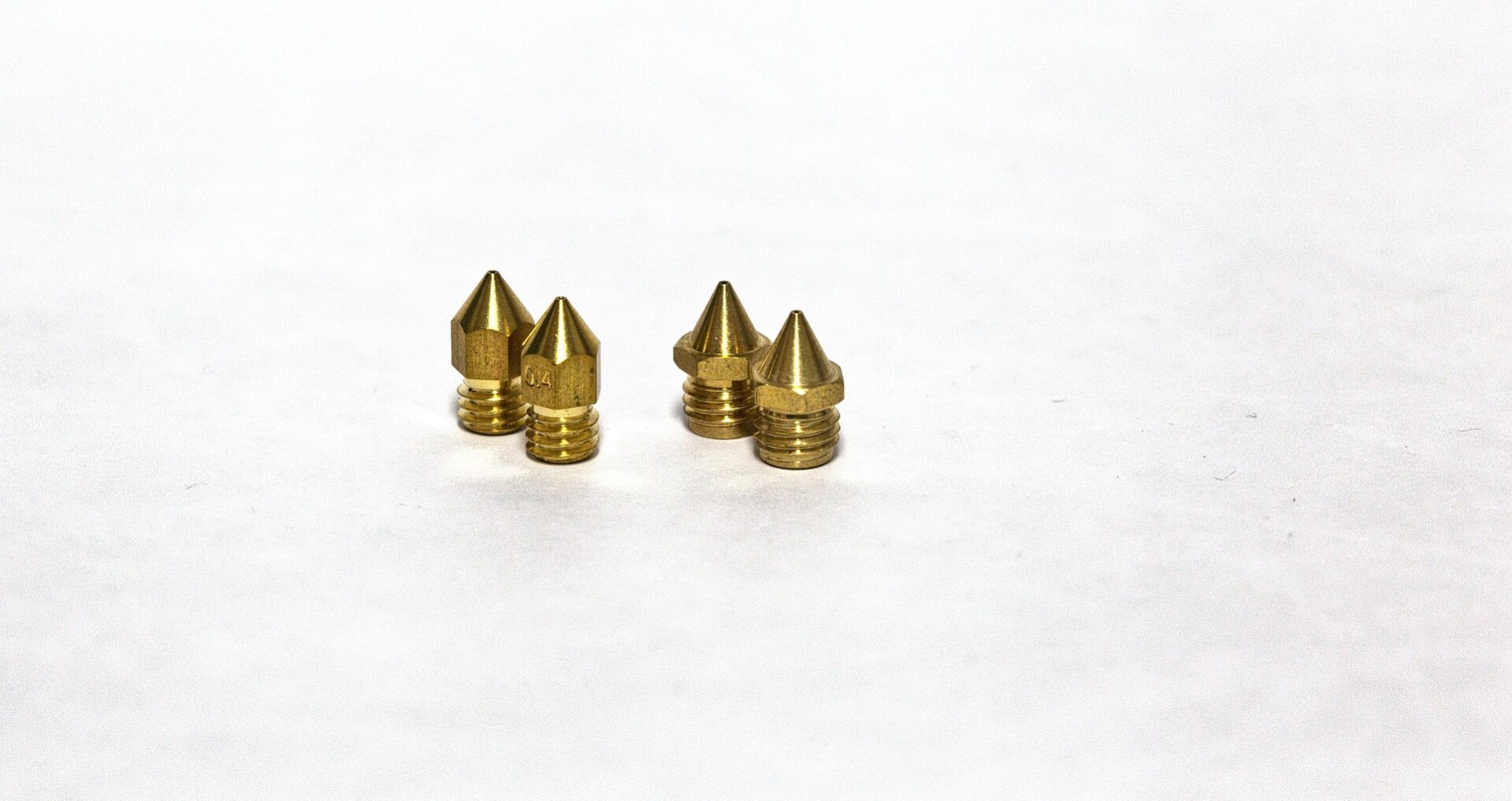
The nozzle is the smallest part of your 3D printer and one of the most consequential. It controls feature detail, print speed, material compatibility, and how often you replace it. Most printers ship with a 0.4mm brass nozzle, which handles 90% of what most makers will ever need. But knowing when to change it, what to change it to, and why it wears out makes you a significantly better troubleshooter.
What Does a 3D Printer Nozzle Do?
The nozzle sits at the end of the hot end assembly. Filament is fed in from above, melted in the heat block, and extruded through the nozzle orifice as it’s deposited onto the print. The nozzle diameter determines the width of each line of plastic and, combined with layer height, sets the fundamental resolution of the print.
A 0.4mm nozzle is the universal standard because it balances speed, detail, and reliability well for general FDM printing. It’s wide enough to print at useful speeds without clogging, and small enough to produce clean detail on most hobby-scale objects.
The full nozzle reference covering sizes, materials, and maintenance is at the OreKo nozzle guide. This post goes deeper on the practical choices: when to upgrade, what material to choose, and how to keep nozzles running cleanly.
Nozzle Diameter: The Core Trade-Off
Nozzle diameter controls the fundamental trade-off between detail and speed. Smaller nozzles produce finer detail. Larger nozzles print faster and handle thick layers.
| Nozzle Size | Best For | Layer Height Range | Trade-Offs |
|---|---|---|---|
| 0.2mm | Ultra-fine detail, miniatures, jewelry | 0.05-0.15mm | Very slow, clogs more easily, fragile |
| 0.4mm | General purpose, the universal default | 0.1-0.3mm | Best balance. No significant trade-off for most use cases. |
| 0.6mm | Faster prints, structural parts, less visible detail | 0.2-0.45mm | Visible layer lines on curved surfaces, less fine detail |
| 0.8mm | Large structural prints, prototypes, fast draft prints | 0.3-0.6mm | Coarse surface finish. Fast. Good for big functional parts. |
Most makers will never need to leave 0.4mm. The detail it produces at 0.12mm layer height is excellent for everything from deck boxes to cosplay props to dollhouse furniture. The jump to 0.6mm makes sense if you’re printing large structural parts regularly and want to cut print times by 30-40%. The jump to 0.2mm makes sense only if you’re printing detailed miniatures at small scale and can accept significantly slower speeds.
Nozzle Materials: Brass vs Hardened Steel vs Ruby
The material a nozzle is made from determines what filaments it can handle and how long it lasts.
Brass (Standard)
Brass is the default on virtually every FDM printer because it’s soft enough to machine precisely, conducts heat well, and is cheap to replace. It handles all standard filaments: PLA, PETG, ABS, ASA, TPU, and silk or matte PLA blends.
What brass can’t handle: abrasive filaments. Carbon fiber, glow-in-the-dark, metal-filled, and color-change filaments all contain hard particles that wear brass nozzles quickly. A brass nozzle running carbon fiber PLA can wear out in as little as a few hundred grams of material. The orifice gradually enlarges, ruining dimensional accuracy and surface finish.
Hardened Steel
Hardened steel nozzles are the right choice for any abrasive filament. They last significantly longer than brass with carbon fiber, glow, or metal-filled materials. The trade-off: steel conducts heat less efficiently than brass, so you often need to print 5-10°C hotter to maintain the same flow. Print quality is marginally lower than brass on standard materials, which is why most makers keep both types on hand.
Bambu Lab’s hardened steel nozzles and the third-party Trianglelab CHT hardened steel nozzles are popular options that fit most Bambu hot end systems.
Ruby-Tipped Nozzles
Ruby-tipped nozzles use a brass body with a synthetic ruby insert at the tip. They combine brass heat conductivity with ruby’s extreme hardness for abrasive materials. They last effectively indefinitely under normal use. The cost, $20-$50 per nozzle, is high but justifiable for a printer that runs abrasive filaments daily. Overkill for occasional carbon fiber prints.
Copper and Nickel-Plated
Copper nozzles offer the best thermal conductivity of any consumer nozzle material, useful for high-speed printing where heat transfer at the nozzle tip can be a limiting factor. Nickel-plated brass offers better wear resistance than bare brass with heat conductivity nearly as good. Both are niche options for specific performance needs.
When to Replace Your Nozzle
Nozzle wear is gradual and symptoms appear slowly, which is why many makers miss it until print quality has degraded noticeably. Signs your nozzle needs replacing:
- Stringing is worse than it used to be. As the orifice wears slightly larger, flow control becomes less precise and stringing increases even with unchanged retraction settings.
- Dimensional accuracy has dropped. Printed holes are larger than designed, wall widths are inconsistent, or overall part dimensions have shifted. All point to an enlarged orifice.
- Underextrusion that clearing doesn’t fix. A worn nozzle with a rough interior surface creates more friction and flow resistance than a fresh one. Cold pulls and cleaning can help, but a worn surface doesn’t recover.
- Surface finish has degraded on standard materials. Rougher-than-usual outer walls on PLA prints that previously looked clean often indicate nozzle wear, especially if you’ve been running any abrasive filament.
For a brass nozzle running standard PLA exclusively, replacement every 3-6 months (or every 3-5kg of material) is a reasonable maintenance interval. For abrasive materials, replace far more frequently or switch to hardened steel.
Nozzle replacement is one of the most cost-effective maintenance steps in FDM printing. Brass nozzles cost $1-$3 each. Replacing a worn nozzle often immediately improves print quality more noticeably than any slicer setting change.
Clearing a Clogged Nozzle
Clogs are different from wear. A clogged nozzle has material blocking the orifice. A worn nozzle has a damaged interior surface. Clearing a clog is usually straightforward. Wear requires replacement.
The cold pull method works for most clogs:
- Heat the nozzle to print temperature for your filament (e.g. 220°C for PLA)
- Push filament through manually to flush any loose debris
- Drop the temperature to 90°C
- At 90°C, pull the filament back out firmly in one smooth motion
- The pulled filament should have a clean tip that matches the nozzle interior. Repeat until it comes out clean.
For stubborn clogs, a nozzle needle (acupuncture needles work perfectly at 0.4mm) pushed through the hot orifice at print temperature can dislodge hardened material. Never use metal probes cold: they risk damaging the nozzle orifice.
If cold pulls don’t clear a clog after 3-4 attempts, replacement is usually faster and cheaper than continued troubleshooting. Brass nozzles are consumables.
Frequently Asked Questions: 3D Printer Nozzles
What size nozzle should I use for 3D printing?
0.4mm for almost everything. It’s the default on most printers for good reason: it balances detail, speed, and reliability for the full range of typical FDM applications. Only consider going smaller (0.2mm) for very fine miniature work, or larger (0.6mm-0.8mm) if you’re consistently printing large structural parts and want faster print times.
How often should I replace my 3D printer nozzle?
For a brass nozzle on standard PLA: every 3-6 months or 3-5kg of filament. For abrasive filaments (carbon fiber, glow-in-the-dark, metal fill): much more frequently, or switch to hardened steel. Symptoms of a worn nozzle include increased stringing, worsened dimensional accuracy, and rougher surface finish on prints that previously came out cleanly.
Do I need a hardened steel nozzle?
Only if you’re printing abrasive filaments: carbon fiber, glow-in-the-dark, color-change (thermochromic), or metal-filled PLA. Standard PLA, PETG, ABS, ASA, TPU, and silk PLA are all safe in brass. If your filament description mentions any additive that sounds hard or metallic, use hardened steel.
Why is my nozzle clogging?
Common causes: printing too cold for the material (partial melting leaves residue), retracting too far (pulling molten material into the cold zone where it hardens), leaving the printer idle at temperature with filament loaded (heat creep), or printing with filament that has absorbed moisture (bubbles and inconsistent flow). Address the root cause rather than just clearing the clog or it will return.
Can I print different filament diameters in the same nozzle?
The nozzle diameter is independent of filament diameter. Most modern FDM printers use 1.75mm filament (the near-universal consumer standard). The nozzle orifice is separate from the filament path and can be any diameter regardless of filament diameter. The 2.85mm filament standard (used by some Ultimaker and older printers) requires a different hot end, not just a different nozzle.