
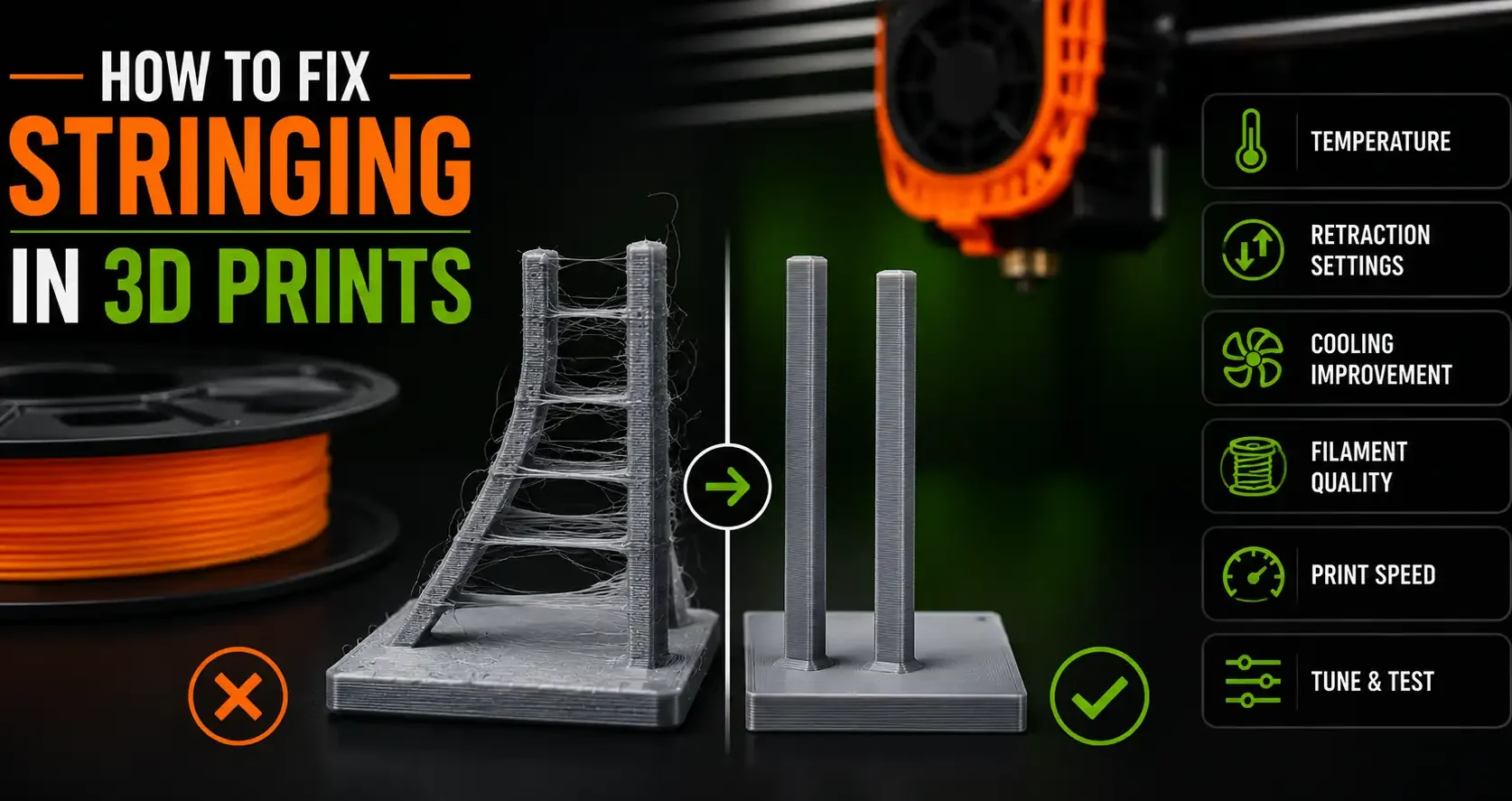
What Stringing Is and Why It Happens
Stringing is the thin threads of filament left between parts of a print when the nozzle travels across an open gap. The nozzle moves from one section to another, and instead of leaving nothing behind, it drags a fine strand of melted plastic across the gap. On a completed print, stringing looks like cobwebs between towers, pillars, or any features with open space between them.
The root cause is always the same: the nozzle oozes filament during travel moves when it should not. That ooze comes from two things working against you at the same time. The filament is too fluid (temperature too high) and the slicer is not pulling enough plastic back before travel (retraction too low). Fix one or both and stringing stops.
This guide covers both causes with exact settings, including Bambu Studio values.
Fix 1: Retraction Settings
Retraction pulls filament back into the nozzle at the start of a travel move, reducing pressure and preventing ooze. Getting retraction right is the most effective stringing fix.
Retraction distance: This is how far back the filament is pulled.
- Direct drive extruder: 0.5mm to 1.5mm. Start at 0.8mm and adjust in 0.2mm increments.
- Bowden extruder: 4mm to 7mm. Start at 5mm and adjust in 0.5mm increments. Bowden tubes require more retraction because of the distance between the drive gear and nozzle.
- Bambu Lab (all models): Default retraction in Bambu Studio is 0.8mm for PLA on direct drive. This works well for most filaments. If stringing persists, try 1.0mm. Do not exceed 1.5mm on Bambu hardware.
Retraction speed: How fast the filament is pulled back. 25-45mm/s for direct drive. Too slow and the retraction happens after ooze has already started. Too fast and the drive gear can grind the filament or skip.
Minimum travel distance before retraction triggers: Set this to 1.0-1.5mm. For very short travel moves, retraction causes more problems than it solves.
Important: Too much retraction causes under extrusion. If you increase retraction and walls start showing gaps, you have gone too far. Find the minimum retraction that stops stringing rather than the maximum your printer will accept.
Fix 2: Temperature Reduction
Lower temperature means less fluid filament and less ooze during travel. If retraction adjustments have not fully resolved stringing, dropping temperature is the next step.
Reduce print temperature in 5°C increments. For PLA, work down from your current temperature toward 195-200°C. Print a stringing test at each step and compare. Stop when stringing clears or when the print quality starts showing under extrusion signs (gaps, weak layers).
The goal is the lowest temperature at which the print looks good and bonds correctly, not the lowest possible temperature. Most PLA brands print well between 200-215°C. Below 195°C you will likely see adhesion problems.
For Bambu Studio: adjust nozzle temperature in the filament settings, not the process settings. The filament profile controls actual temperature. If you are using a generic PLA profile, it defaults to 220°C which is often 5-10 degrees higher than necessary and contributes to stringing.
Fix 3: Travel Speed and Combing
Travel speed: Faster travel means less time for filament to ooze during the move. Most slicers default to 150-200mm/s for travel. If yours is lower, increase it. Bambu printers travel at very high speeds by default, which is part of why they string less than many other printers at equivalent temperatures.
Combing mode: Combing tells the slicer to route travel moves through already-printed areas rather than across open gaps. When the nozzle travels over solid infill rather than open air, any ooze lands on the print surface rather than creating a string. Enable combing in your slicer (it is on by default in most Bambu profiles). Set it to avoid outer surfaces if available, so ooze does not mark the visible exterior walls.
Wipe on layer change: Some slicers include a wipe move at the end of each layer to clean the nozzle tip against the print perimeter before moving. Enable this if your slicer supports it.
Fix 4: Dry Your Filament
Wet filament strings badly even with correct retraction and temperature settings. Moisture in the filament turns to steam inside the hotend and creates a constantly oozing nozzle that no retraction setting can fully control.
If stringing appeared suddenly after a spool sat open for a few days, or if you hear crackling and popping during printing, moisture is the cause. Dry the filament before adjusting any other settings.
PLA dries at 45-50°C for 4-6 hours. A food dehydrator or dedicated filament dryer holds temperature more reliably than an oven. Once dry, store filament in a sealed bag or airtight container with desiccant.
For PETG and Nylon, which absorb moisture faster and cause worse stringing when wet, increase drying temperature to 65°C and extend drying time to 8+ hours.
Frequently Asked Questions: Fixing Stringing
What causes stringing in 3D prints?
Stringing is caused by filament oozing out of the nozzle during travel moves when the nozzle is not printing. The two main contributors are temperature too high (makes filament more fluid and prone to oozing) and retraction too low (does not pull enough filament back to stop the ooze). Wet filament also causes stringing because moisture creates continuous pressure in the hotend.
What is the best retraction setting to stop stringing?
For direct drive extruders, start at 0.8mm retraction distance at 35mm/s retraction speed. For Bowden extruders, start at 5mm at 40mm/s. Adjust retraction distance in 0.2mm increments while printing a stringing test until stringing stops. Do not increase retraction past the point where the print shows under extrusion.
Does higher temperature cause more stringing?
Yes. Higher temperature lowers filament viscosity, making it more likely to ooze from the nozzle during travel. If stringing worsens as temperature increases, reduce temperature in 5°C steps until stringing reduces to an acceptable level while print quality remains good.
How do I fix stringing on a Bambu printer?
Bambu printers string less than most due to high travel speeds. If stringing is occurring, check the filament profile temperature first and reduce by 5°C if it is at the high end. Verify retraction is set to 0.8-1.0mm. Confirm combing mode is enabled in the process settings. If stringing appeared suddenly on a spool that was previously fine, dry the filament.
Why does stringing only happen on certain parts of a print?
Stringing appears most on travel moves across open gaps. If stringing is isolated to specific areas, check whether combing mode is routing travels through solid areas. Enabling or adjusting the combing settings often eliminates stringing in isolated sections without needing to change retraction or temperature.