3D Printing Articles & Guides

Tips, tutorials, model spotlights, and 3D printing deep dives from the OreKo team. Whether you are just starting out or fine-tuning your setup, there is something here for you.

🆕 Model Spotlights

Deep dives into individual OreKo models. Print settings, assembly tips, filament recommendations, and what makes each design tick.

⚙ How-To Guides

Step-by-step tutorials on slicing, print settings, filament selection, bed adhesion, post-processing, and more. Written for real printers, not perfect conditions.

🎮 Maker Culture

Card game setups, cosplay builds, dollhouse projects, and community prints. We cover the culture around the hobby, not just the hardware.

the-complete-3d-printing-glossary-every-term-explained

The Complete 3D Printing Glossary: Every Term Explained

3D printing has its own vocabulary and most beginner guides assume you already know it. This glossary covers every term you’ll encounter in the first few months of printing, defined plainly without unnecessary jargon. Bookmark it and refer back when a tutorial mentions something unfamiliar. Essential 3D Printing Terms A-G AMS (Automatic Material System): Bambu…

direct-drive-vs-bowden-extruder

Direct Drive vs Bowden Extruder: Which Is Better for FDM Printing?

The extruder system on your 3D printer determines how filament gets pushed to the hotend. Two configurations dominate: direct drive (extruder on the print head, right above the hotend) and Bowden (extruder mounted remotely, filament fed through a PTFE tube). Both work well; they make different trade-offs that matter for specific use cases. Direct Drive:…

FDM 3D printing machines on office desk near computer workstation

How to Reduce 3D Print Failures: The Pre-Print Checklist That Works

Most 3D print failures come from the same handful of causes. Bed adhesion failure is the most common. Filament issues (wet or tangled) are second. Settings mismatches between the slicer profile and actual filament are third. Address these systematically and your failure rate drops dramatically. Here’s the checklist. Before Every Print: The 3-Step Check 1.…

3D printed fish texture showing detailed surface quality achievable with FDM printing

What Is Ironing in 3D Printing and When Should You Use It?

Ironing is a slicer feature that runs the hot nozzle over the top surface of a print after completing the normal top layers, at a very slow speed with minimal extrusion. The nozzle heat slightly remelts and flattens the top surface, filling micro-gaps between extrusion lines and producing a noticeably smoother finish than the standard…

how-to-get-smooth-3d-print-surfaces-every-method-ranked-img-q60

How to Get Smooth 3D Print Surfaces: Every Method Ranked

FDM prints have visible layer lines. That’s the nature of the technology. Getting rid of them, or reducing them enough that they’re not visible at normal viewing distance, is achievable through a combination of slicer settings and post-processing techniques. Here’s every method ranked by effort and result. Method 1: Fine Layer Height (Easiest, No Post-Processing)…

why-support-free-stl-files-are-worth-paying-for-img-q60

Why Support-Free STL Files Are Worth Paying For

Supports-free STL files are one of the clearest signals of a well-designed file. Not every model can avoid them, but for hobby printing, a file that prints cleanly without supports saves time, materials, and the frustrating post-processing of removing support structures from visible surfaces. Here’s what to look for and why it matters enough to…

Silk PLA vase printed in smooth glossy finish showcasing material surface quality

What Is Seam Placement in 3D Printing and How to Hide It

Every FDM print has a seam: the point where the printer starts and ends each perimeter loop. At this junction, there’s always a very slight imperfection where the extruder begins and stops depositing plastic. Where this seam lands on your print determines how visible it is. Seam placement is a slicer setting that controls this,…

Various 3D printer nozzles showing different sizes and materials including brass and hardened steel

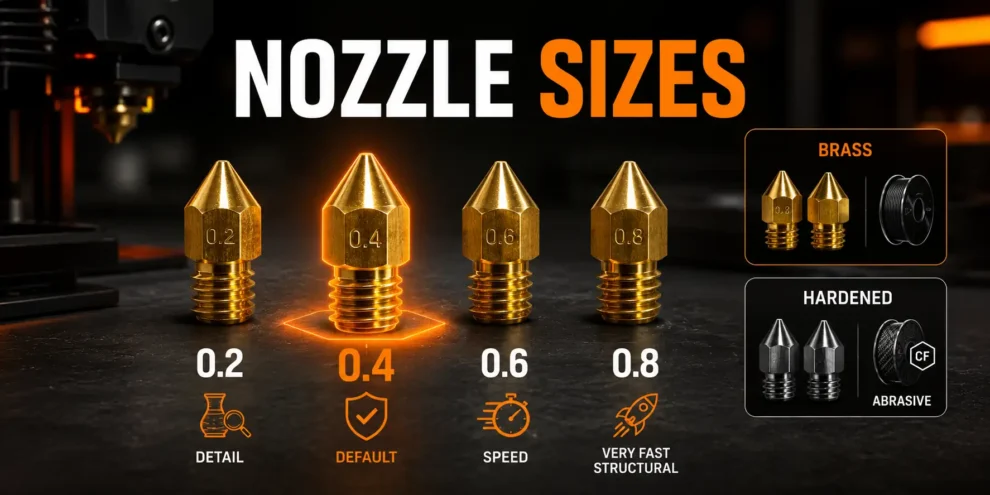
3D Printer Nozzles: Everything You Need to Know

The nozzle is the smallest part of your 3D printer and one of the most consequential. It controls feature detail, print speed, material compatibility, and how often you replace it. Most printers ship with a 0.4mm brass nozzle, which handles 90% of what most makers will ever need. But knowing when to change it, what…